Release notes: November 2026
Sales orders from purchase-order PDFs, quotations edited on their printed sheet, a delivery calendar with a map of the Kingdom, tender pricing by margin, and packing levels and services in the catalog.
Updated This month is still in progress and this page grows as features ship.
Quotations and documents
Quotations edited on their sheet
Create and edit a quotation where it prints, and check the exact PDF with Print preview before you save. See Creating a quotation.
Every line starts at a product
Quotations, invoices, sales and purchase orders and deliveries pick each line's product from your catalog, and create a missing product from the line itself. See The lines.
Orders and delivery
Sales orders from a PDF
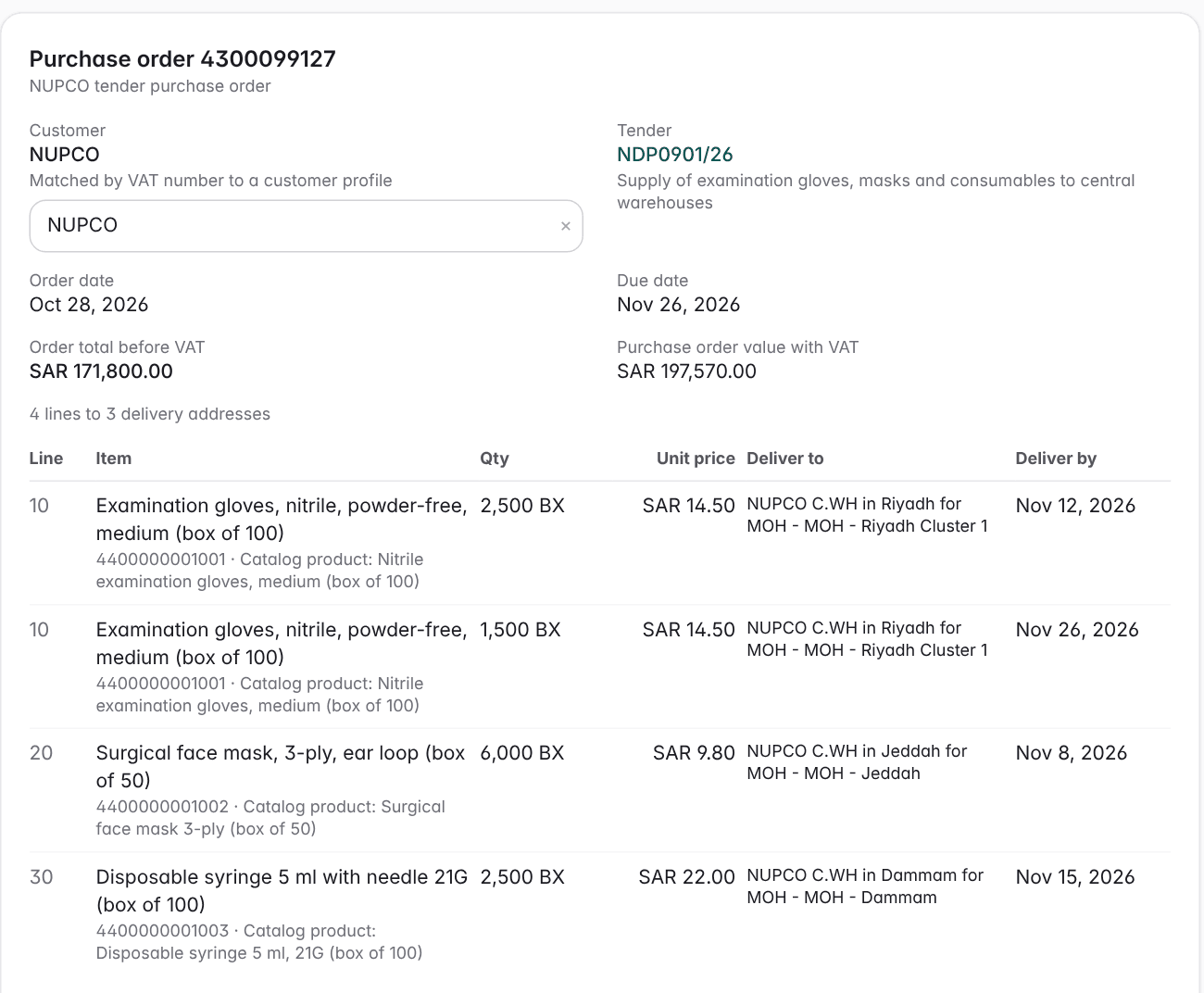
Upload the purchase order your customer sent, review what we read, then create the sales order. We never guess a value. See Importing a customer's purchase order.
Planned deliveries
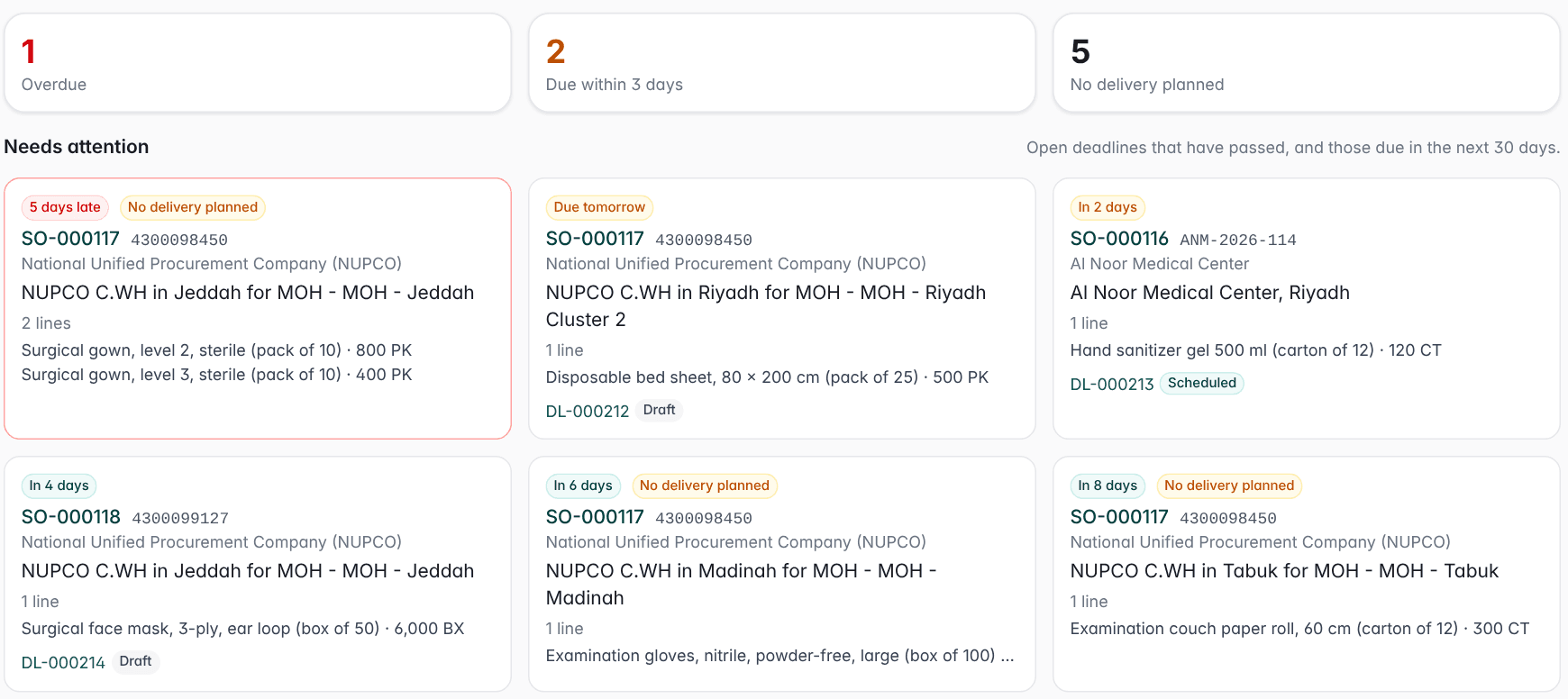
We draft one delivery per destination and due day, and you edit it before anything is dispatched. See Fulfilment by deliveries.
Document library
Catalog files is now a document library that also holds the purchase orders filed on your sales orders. Search by order or customer, select what you need and download it as one ZIP.
Delivery calendar and map
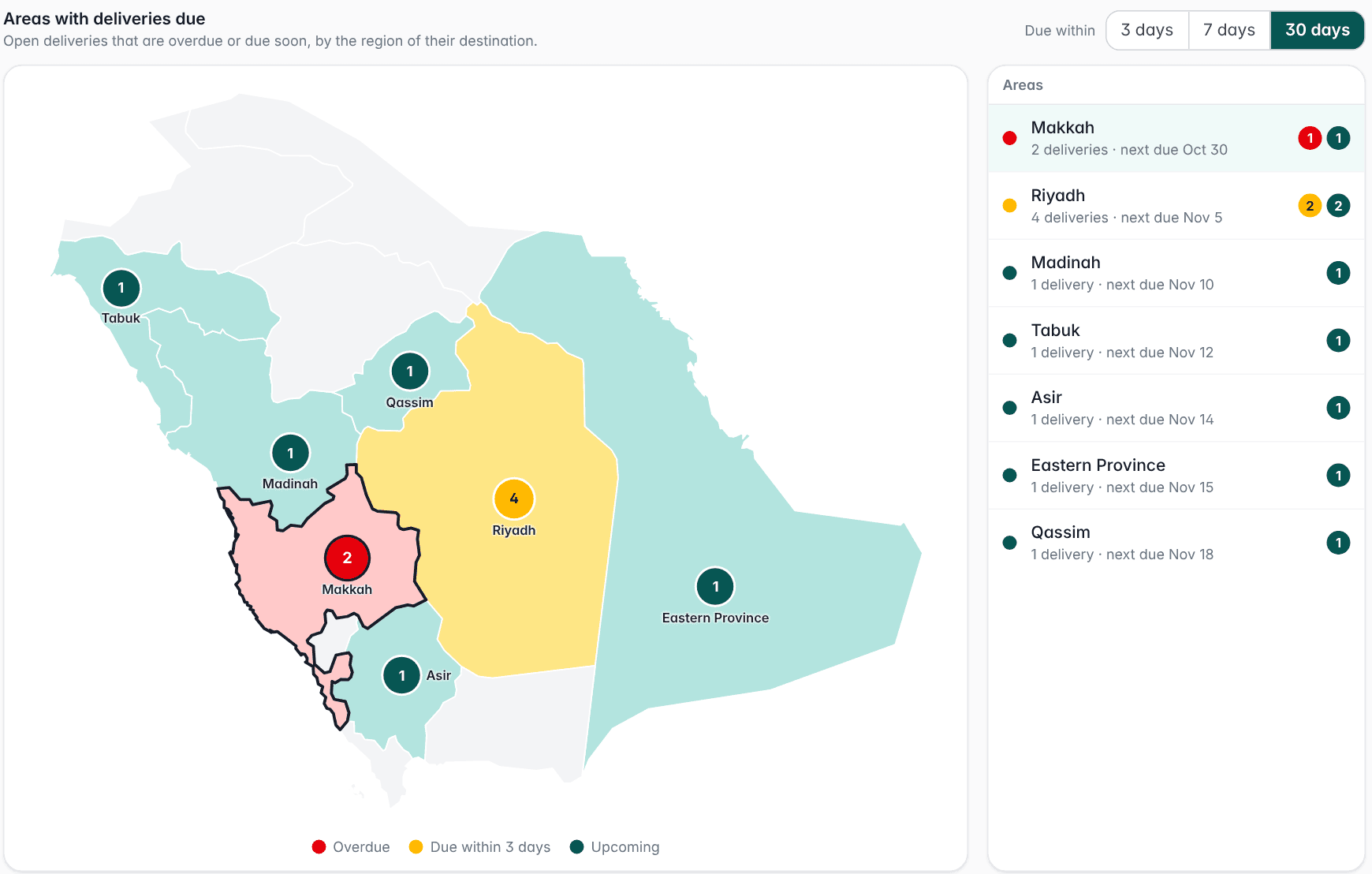
See delivery deadlines in a month grid or on a map of the thirteen regions. See Delivery calendar.
Map view
Deliveries on the map
Deliveries group by the region of their destination, and the map colors them by how late or close they are.
Catalog and pricing
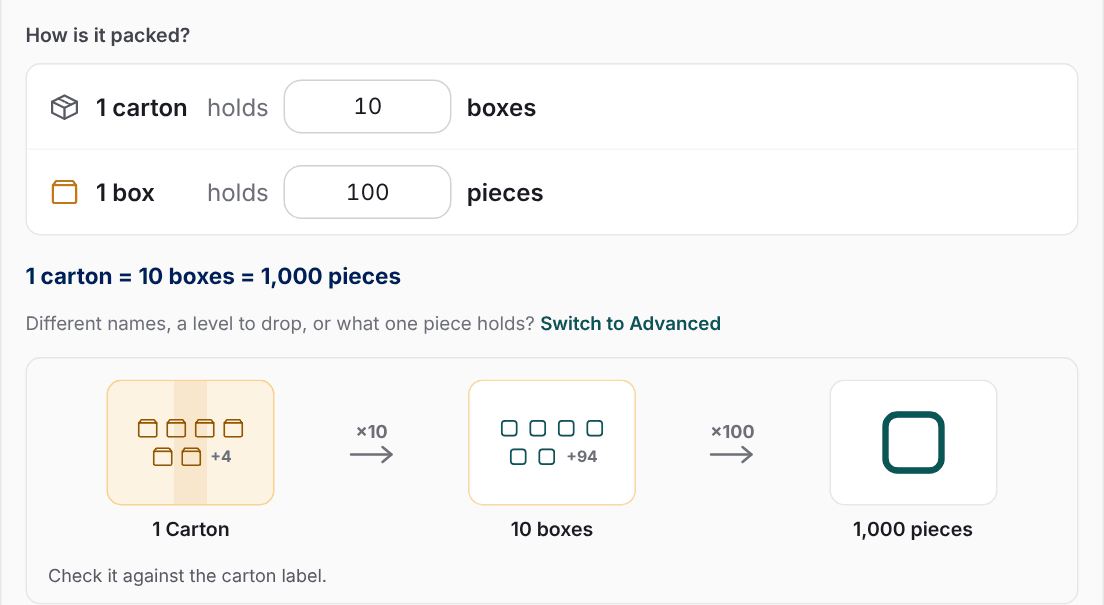
Packing levels
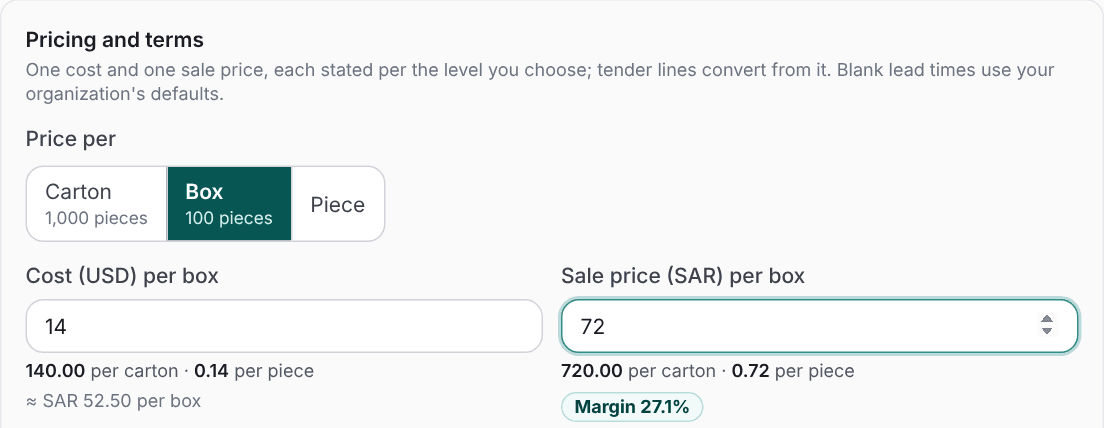
One price per product, priced per piece, pack or case to match the unit of the tender line. See Packing levels and, for lab products, how to price reagents per test, vial or kit.
Services as products
Add installation and delivery as service products, and they appear on the NUPCO bid files. See Services have no packing.
Pricing by margin
Set a margin and we build the line price from the selected product's cost. See Pricing by margin.
Catalog file browser
Search every product and manufacturer file from one page.
Award data
Group awards
Group awards now link to their item lists, and every batch of award results is read.