Start here
Getting started
What the platform is, how the workspace is laid out, and where each feature begins.
ProcDuck (short for Procurement Duck) is a tender-intelligence and bid-management platform for Saudi government procurement. It gathers the tenders published on Etimad and NUPCO in one place, searches their line items one by one, alerts you when a tender matches your keywords or products, and then carries your team from the decision to participate through pricing, quotations and supplier RFQs.
Getting an account
Accounts are created by invitation: after a demo, our team sends a sign-up invitation to your email, and accepting it creates your organization with the invitee as its owner. The owner or an admin then invites the rest of the team from the Team page inside the platform and assigns each member a role.
Roles decide what each member can do and see. Owner and admin run the organization; sales and purchasing work bids and pricing; viewer and technical are read-only, with pricing hidden from some roles. The per-role detail is in the API reference.
The workspace
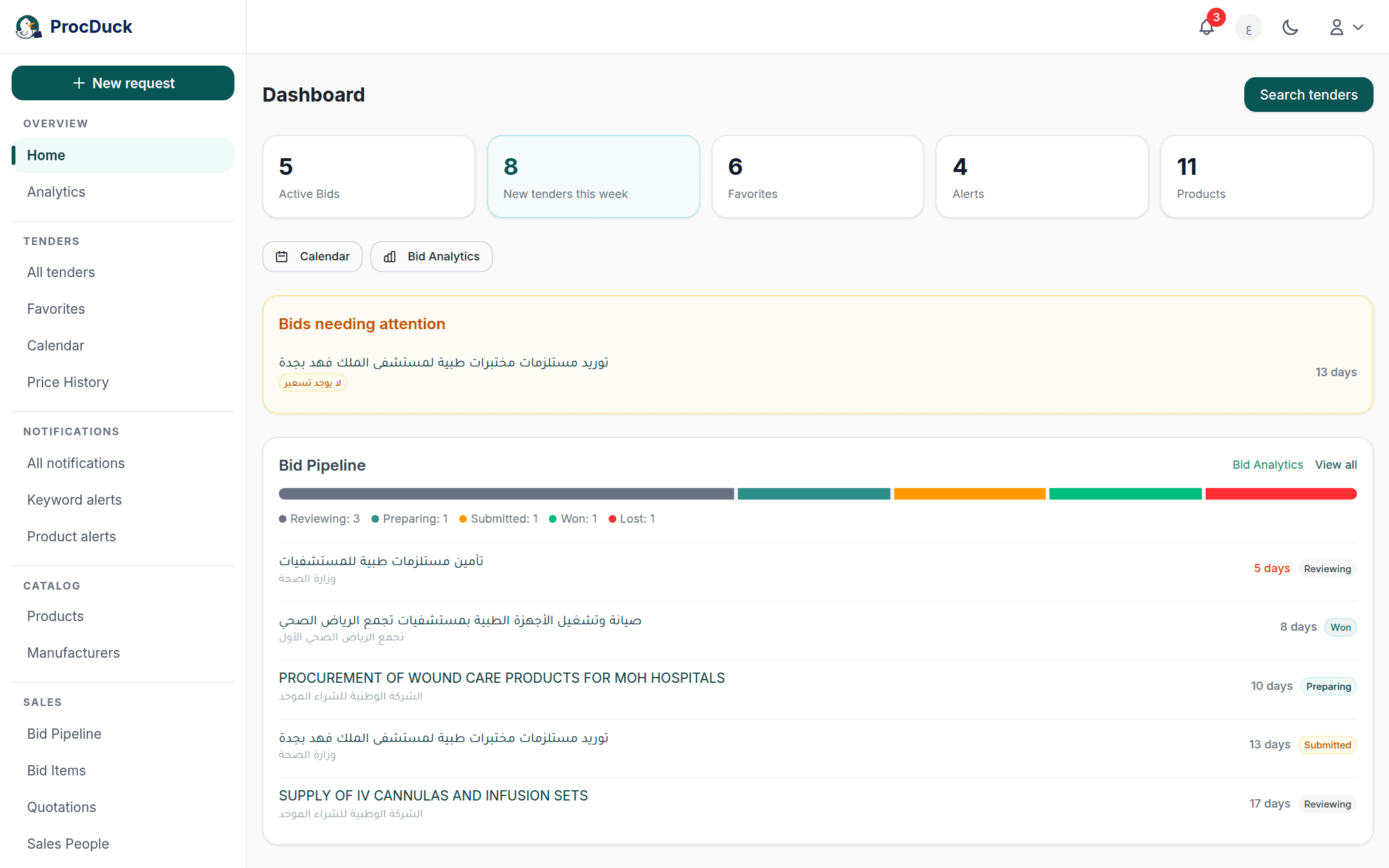
After signing in you land on the dashboard, and the top navigation leads to the rest of the workspace. The platform is available in Arabic and English, and you can switch between them from that same bar at any time.
| Area | What you do there |
|---|---|
| Dashboard | New tenders this week, upcoming deadlines, and the bids that need your attention. |
| Search | Search every tender and its line items with a structured query syntax, plus source, agency and date filters. |
| Tender page | The tender's details and items, the participation decision, pricing, the NUPCO response files, and the AI summary. |
| Alerts | Keyword and product alerts that notify you of matching tenders in-app, by email and on WhatsApp. |
| Products & manufacturers | Your catalog: products with their pricing and registration status, and manufacturers with their files and authorization letters. |
| Quotations | Building quotations from tender items and printing them as PDFs with stamps and signatures. |
| RFQs | Sending RFQs to suppliers, tracking their replies and comparing prices. |
| Price history | Past award results per material code: who won, and at what price when one was published. |
| Calendar | The deadlines of the tenders you follow on one calendar. |
| Settings | Organization details, logo and stamp, the team, API keys, and the WhatsApp link. |
From tender to bid
The usual path for a team working one tender:
- Find it through search or an alert you received, and open the tender page.
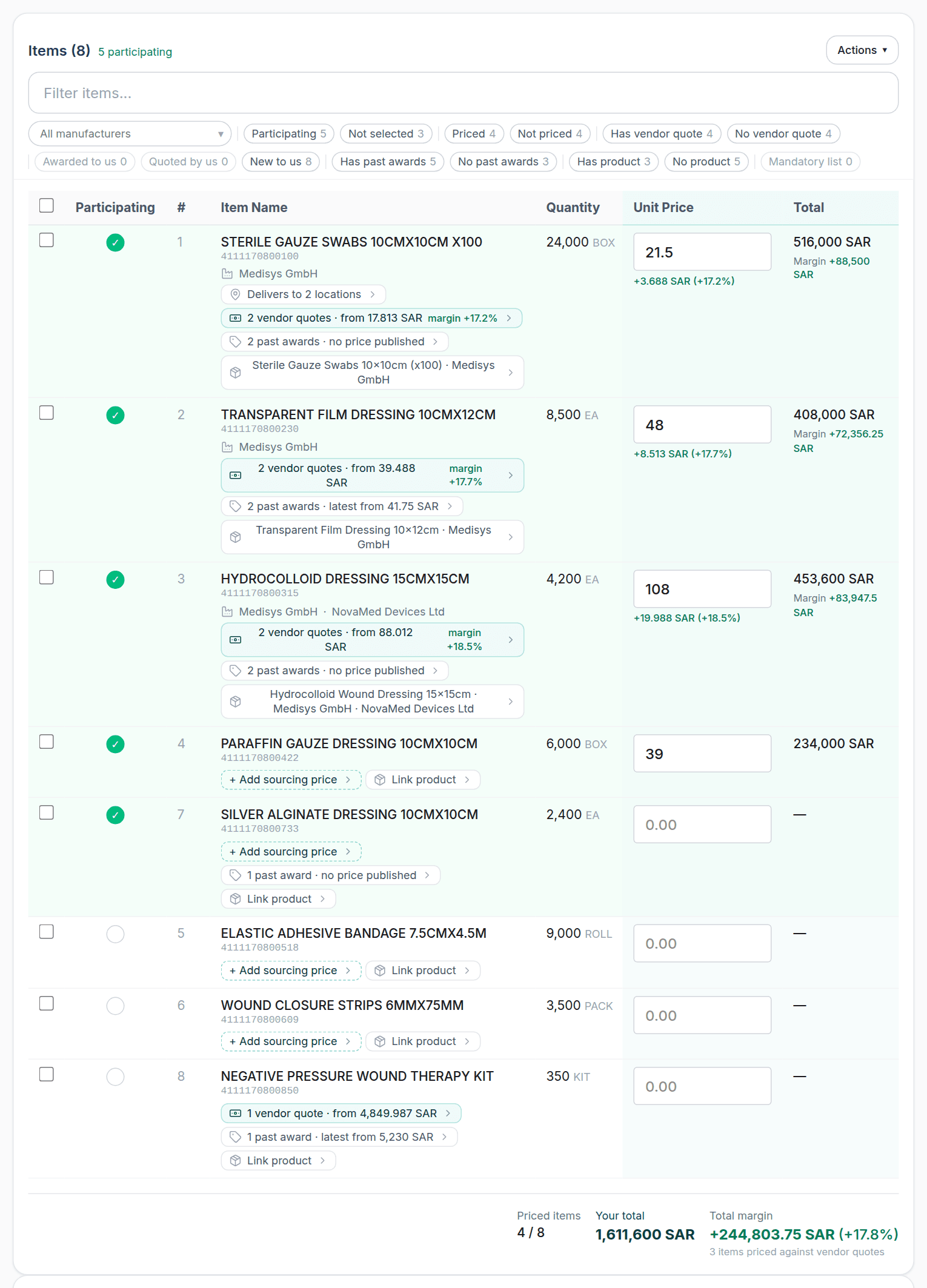
- Decide to participate item by item, and link each item to a product from your catalog.
- Ask suppliers for prices with an RFQ if you need to, and compare the replies.
- Price the items from the tender page; past award history for each material code is shown beside you as you price.
- Issue the quotation and its accompanying documents, and generate the NUPCO response files if the tender is on its portal.
Working outside the browser
Everything you do in the interface is also available to your own software and to AI agents through the REST API and the MCP server. See the API reference. Team members who have linked their number can also talk to the assistant, Haitham, on WhatsApp or by email to search, ask questions and create records in plain language.