Features
Price History
Past NUPCO award results per material code: who won, from which manufacturer, and at what price when one was published, to search and compare before you price.
Price History is the record of past NUPCO award results: for each material code, who it was awarded to, from which manufacturer and country of origin, under which catalog number, in which tender, and at what unit price when one was published. It is reached from Price History under the Tenders section of the navigation bar. The page searches the whole record without opening a tender; the history of one tender's items, or of a product in your catalog, appears where it is needed, as a later section explains.
What the record holds
Each row of the table is one award: one material code awarded to one vendor in one tender. The rows come from two sources, so there are two kinds of them:
- Priced rows: from NUPCO's final-result sheets, carrying the unit price the item was awarded at, with its unit of measure and currency.
- Unpriced rows: from the public award announcements NUPCO publishes, which name the winning vendor, the manufacturer, the country of origin and the catalog number but publish no price. These rows far outnumber the priced ones.
Searching and filtering
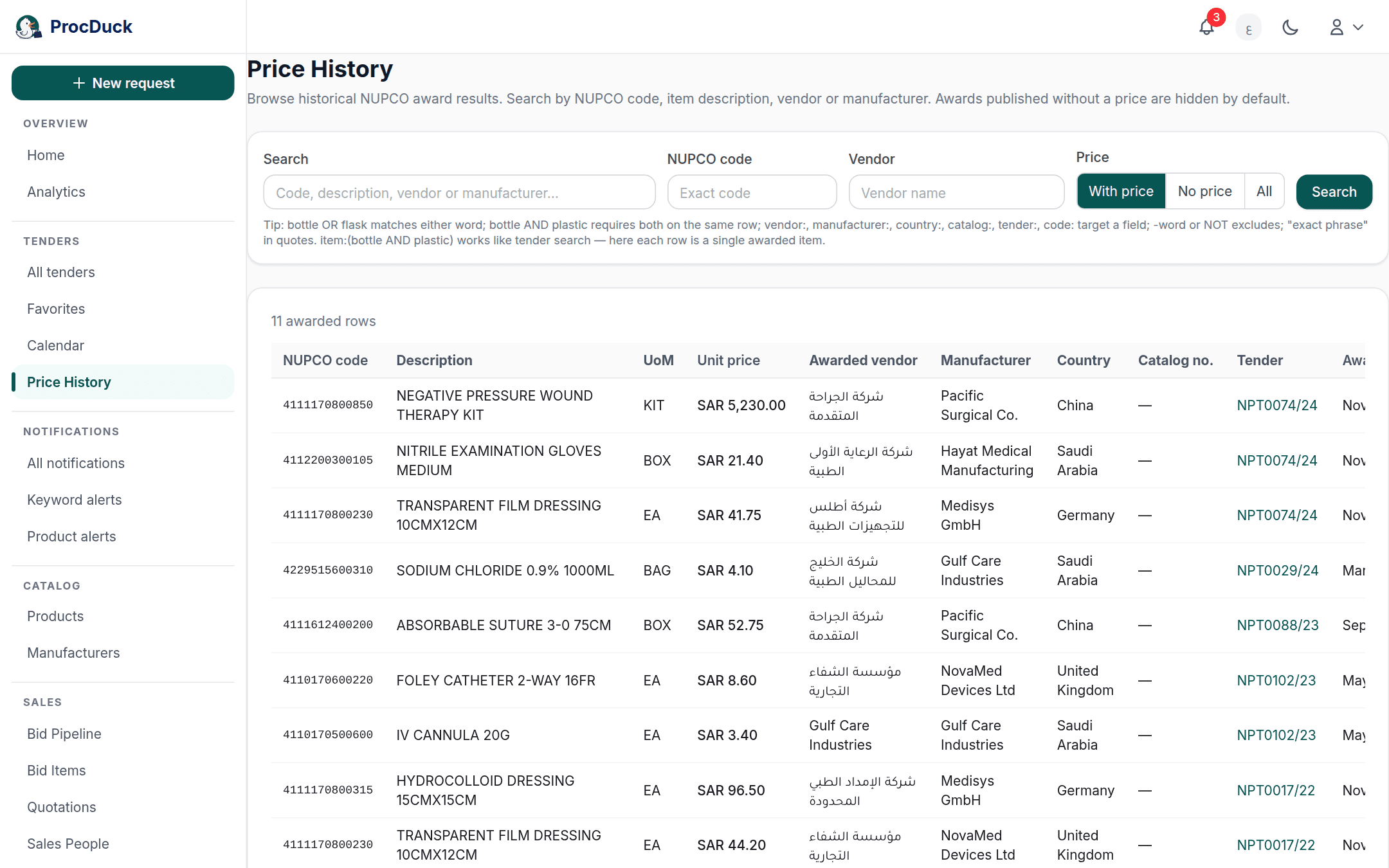
At the top of the page is a search form in four parts. Fill in what you need and press Search, or Enter; a Clear button appears whenever a filter is active and returns the page to its initial state.
- Search: one or more words looked for in the NUPCO code, the description, the awarded vendor and the manufacturer. Plain text is matched as it is, as one contiguous string, inside any of those four columns. A comma or a
+is searched literally. The structured syntax described below works here too. - NUPCO code: the exact, complete code, not part of one. To search by part of a code, type it in the Search box instead.
- Vendor: part of the winning vendor's name.
- Price: which kind of rows you want: With price, No price or All. This choice applies the moment you click it, without the Search button.
A fifth filter comes from the table itself: clicking a tender number in the Tender column narrows the results to that tender's awards, and a Tender NPT0064/25 chip appears above the table with an × to remove it. The match is forgiving of spelling. The same tender is sometimes written NPT0064/25 and sometimes NPT0064-25 or in lowercase, and every spelling finds the same rows.
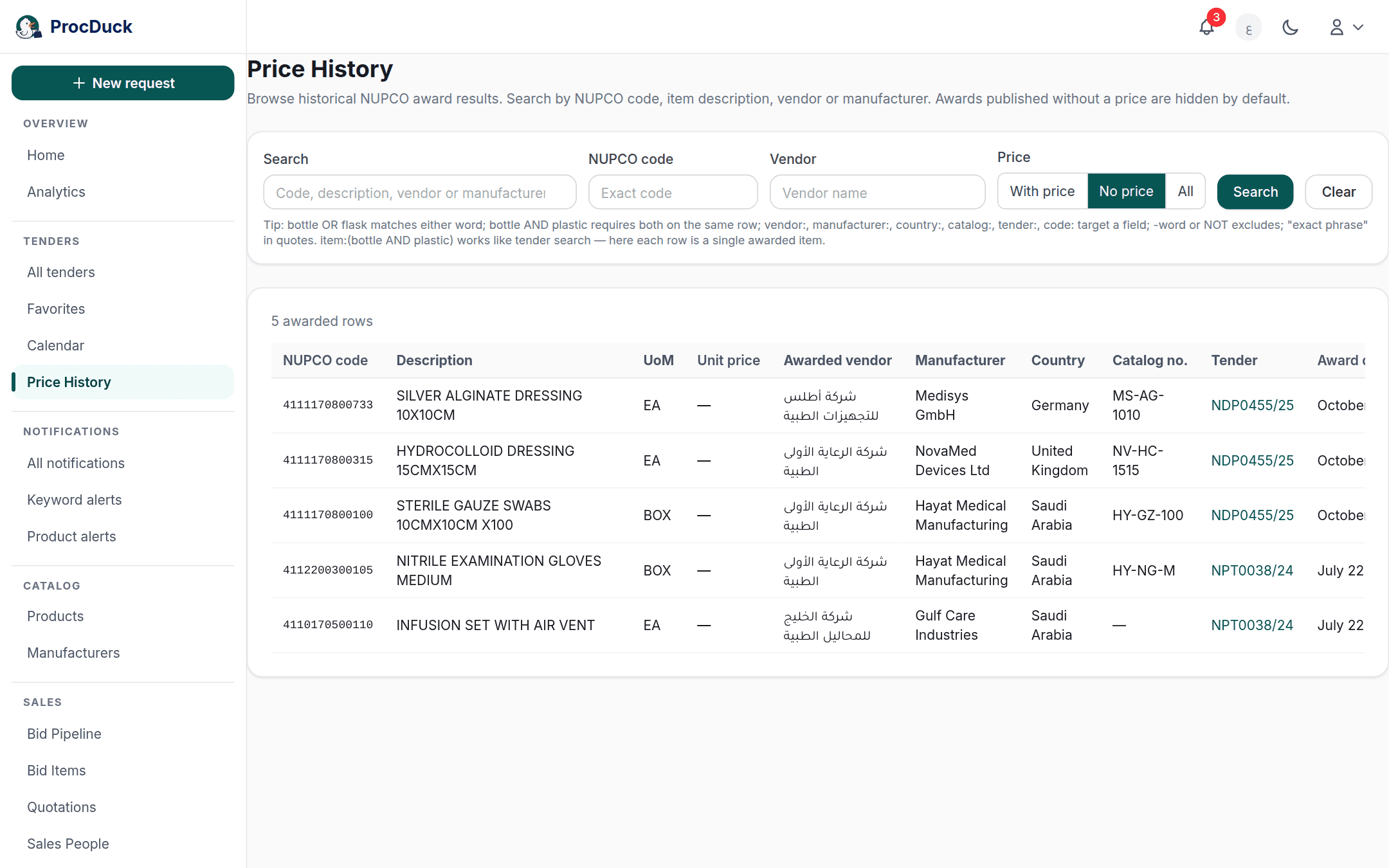
The price filter
The default is With price: because the unpriced rows are so much more numerous, showing everything together would bury the prices you came to compare. But that default sometimes hides the answer to a different question ("has this item been awarded before, and who won it?") so when a search matches no priced row, the page tells you how many matching awards have no published price, with a Show them link that switches the filter to No price in one click.
Structured search
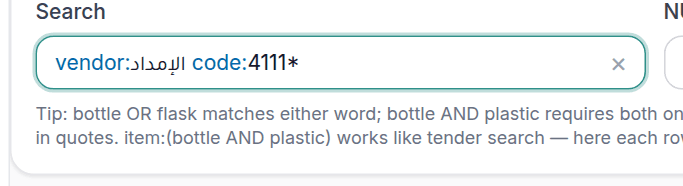
The Search box understands the same structured syntax as tender search: the operators AND, OR and NOT in capitals, a - before a word to exclude it, quotes for an exact phrase, parentheses to group, with field suggestions, query colouring and error warnings as you type. The one difference is that every row here is one awarded item, so the fields point at the table's columns:
| Field | Searches |
|---|---|
code: | The NUPCO code, matched exactly. code:4110123456. |
description: or item: | The item description. item:(bottle AND plastic) requires both words in the same row's description. |
vendor: | The awarded vendor. |
manufacturer: or brand: | The manufacturer. |
country: | The country of origin. |
catalog: | The catalog number. |
unit: | The unit of measure. |
tender: | The tender number in every spelling. Quote it, because it contains a slash: tender:"NPT0064/25". |
tender_name: | The source tender's name. |
So vendor:acme -syringe finds that vendor's awards other than syringes, and manufacturer:braun AND country:germany the awards of that manufacturer's products made in Germany. An exclusion keeps rows whose field is empty: -vendor:acme does not drop an award whose vendor was not named. An unknown field shows as an error message in the results card rather than as empty results.
Reading the table
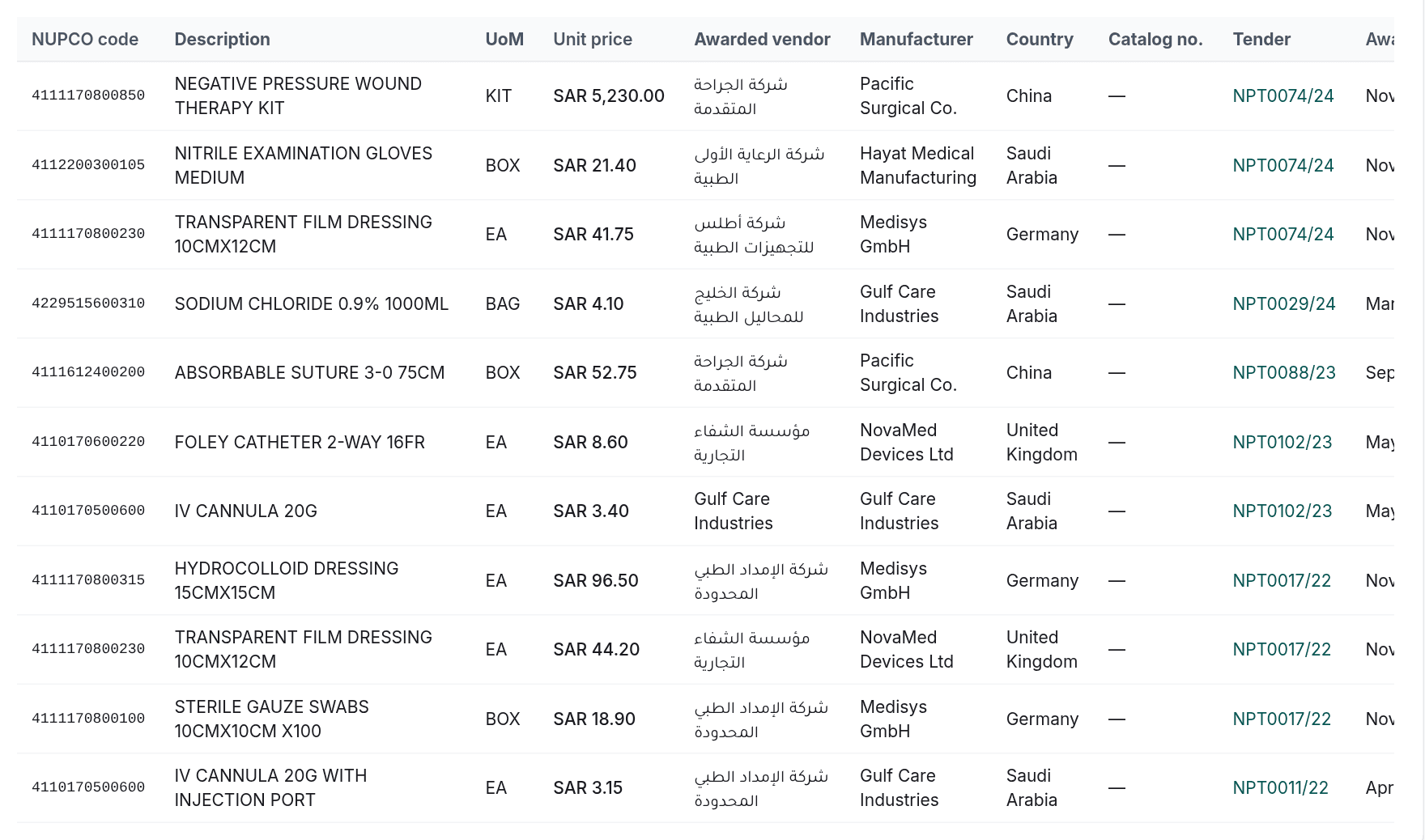
Above the table is the number of matching rows (N awarded rows) and below it pages of 25 rows with Previous and Next. The columns:
| Column | Content |
|---|---|
| NUPCO code | The material code that was awarded. Sortable. |
| Description and UoM | The item's description and unit of measure as the source gave them. |
| Unit price | The unit price in its currency, or a dash when none was published. Sortable. |
| Awarded vendor | Who the item was awarded to, with a green Us chip when that is your organization. |
| Manufacturer, Country and Catalog no. | The product that won: its maker, its country, and its number in the maker's catalog. |
| Tender | The source tender's number; hovering shows its name, clicking filters the table to it. |
| Award date | The award date when known, else a dash. Sortable. |
Clicking a sortable column's header sorts by it, an arrow beside the header shows the direction, and clicking again reverses it. The default order is newest award first, and the first click on Unit price gives you the cheapest first. In both directions the rows with no price or no date stay at the end, so a "cheapest first" sort never opens on a page of dashes.
The Us chip is placed on a row when the winning vendor's name contains your organization's name or its Arabic or English legal name, as registered in the organization settings, so if your own past awards carry no chip, check that the registered name matches what NUPCO publishes.
The table reads the record one award at a time. To read it by who won instead: each vendor, the manufacturers it was awarded with, and the products through each pair, as a network graph and a drill-down that ends on this same award history for one code. Open Awarded vendors, the next link under Tenders in the navigation bar.
Award history elsewhere in the platform
This page is where you search the whole record freely; when you are working on a tender or a product, the same history comes to you:
- On the tender page: every item whose code was awarded before carries a Past awards pill that opens a panel of its awards grouped by period, with your organization's awards marked Us; see Item insights. The Has past awards and No past awards chips in the filter row narrow the table by that; see Filtering the items. That is how you price under Bid pricing with what the item was awarded at before in front of you.
- On the product page: a NUPCO award price history card lists the awards of the product's own NUPCO code and its linked codes, across all vendors, newest first and cheapest first within a period, up to 50 rows. The card does not appear for a product whose codes have no awards. For the full dive into a common code, come back to this page.
Outside the browser
The same search (with the parameters q, material_code, vendor, source_tender_number, price, sort, dir, page and pageSize) is available to your own software and to AI agents through GET /api/v1/historical-prices with the historical.read scope, and through the historical_prices_list tool of the MCP server. The response flags your organization's rows with awarded_to_us, returns unit_price as null for an award with no published price, and when a default search finds no priced row it reports in unpriced_available how many unpriced awards there are. One tender's item history is at GET /api/v1/tenders/{id}/historical-prices (tenders.read scope, tenders_historical_prices tool), and a product's at GET /api/v1/products/{id}/historical-prices (products.read scope, products_historical_prices tool). See the API reference and Getting started.