Integrations
API reference
Integrate with our platform via the REST API: authentication, rate limits, endpoints, webhooks, and the MCP server.
Integrate with our platform using the REST API. Everything available in the interface is available through it too, and the MCP server exposes the same surface to AI agents.
Authentication
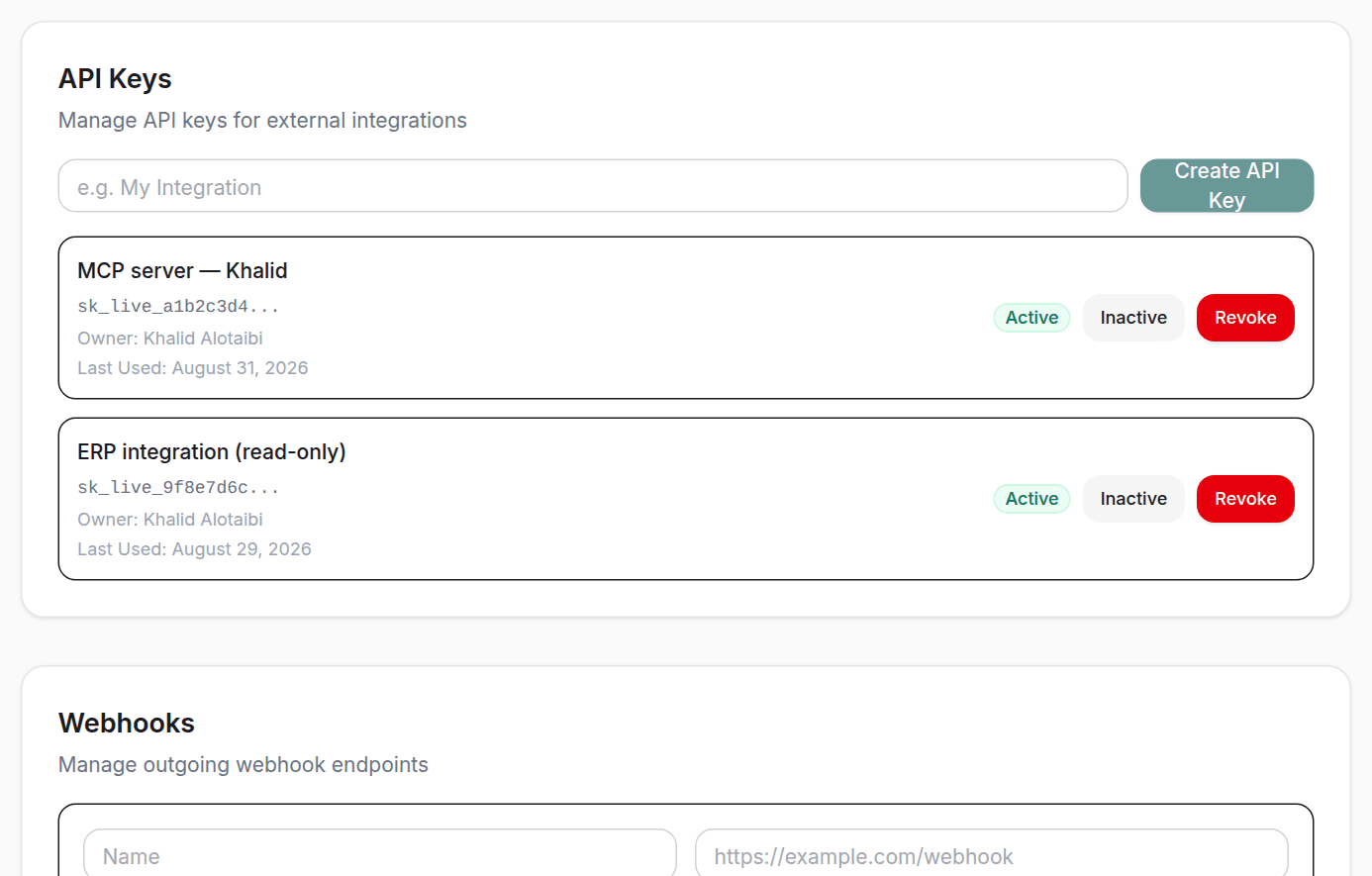
All API requests require a Bearer token. Generate an API key from Settings > Integrations.
curl -H "Authorization: Bearer sk_live_YOUR_API_KEY" \
  https://your-domain.com/api/v1/tenders
Rate limiting
API calls are limited based on your subscription plan. Pro: 1,000/day, Enterprise: Unlimited.
Pagination
All list endpoints return paginated responses with the following structure:
{
  "data": [...],
  "total": 150,
  "page": 1,
  "page_size": 20,
  "total_pages": 8
}
Endpoints
GET /api/v1/tenders
List tenders with pagination and filtering. Required scope: tenders.read
| Parameter | Type | Required | Description |
|---|---|---|---|
page | number | No | Page number (default: 1) |
page_size | number | No | Items per page (max: 100) |
source | string | No | Filter by source (etimad, nupco) |
agency | string | No | Filter by agency name |
GET /api/v1/tenders/:id
Get tender details with line items. Required scope: tenders.read
| Parameter | Type | Required | Description |
|---|---|---|---|
id | number | Yes | Tender ID |
GET /api/v1/search
Search tenders by keyword (including item names). Required scope: search
| Parameter | Type | Required | Description |
|---|---|---|---|
q | string | No | Search query |
source | string | No | Filter by source |
agency | string | No | Filter by agency |
type | string | No | Filter by tender type |
date_from | string | No | Start date (ISO) |
date_to | string | No | End date (ISO) |
page | number | No | Page number (default: 1) |
page_size | number | No | Items per page (max: 100) |
GET /api/v1/bids
List your organization's bids. Required scope: bids.read
| Parameter | Type | Required | Description |
|---|---|---|---|
status | string | No | Filter by status |
page | number | No | Page number (default: 1) |
page_size | number | No | Items per page (max: 100) |
GET /api/v1/favorites
List your organization's favorite tenders. Required scope: favorites.read
| Parameter | Type | Required | Description |
|---|---|---|---|
page | number | No | Page number (default: 1) |
page_size | number | No | Items per page (max: 100) |
Webhooks
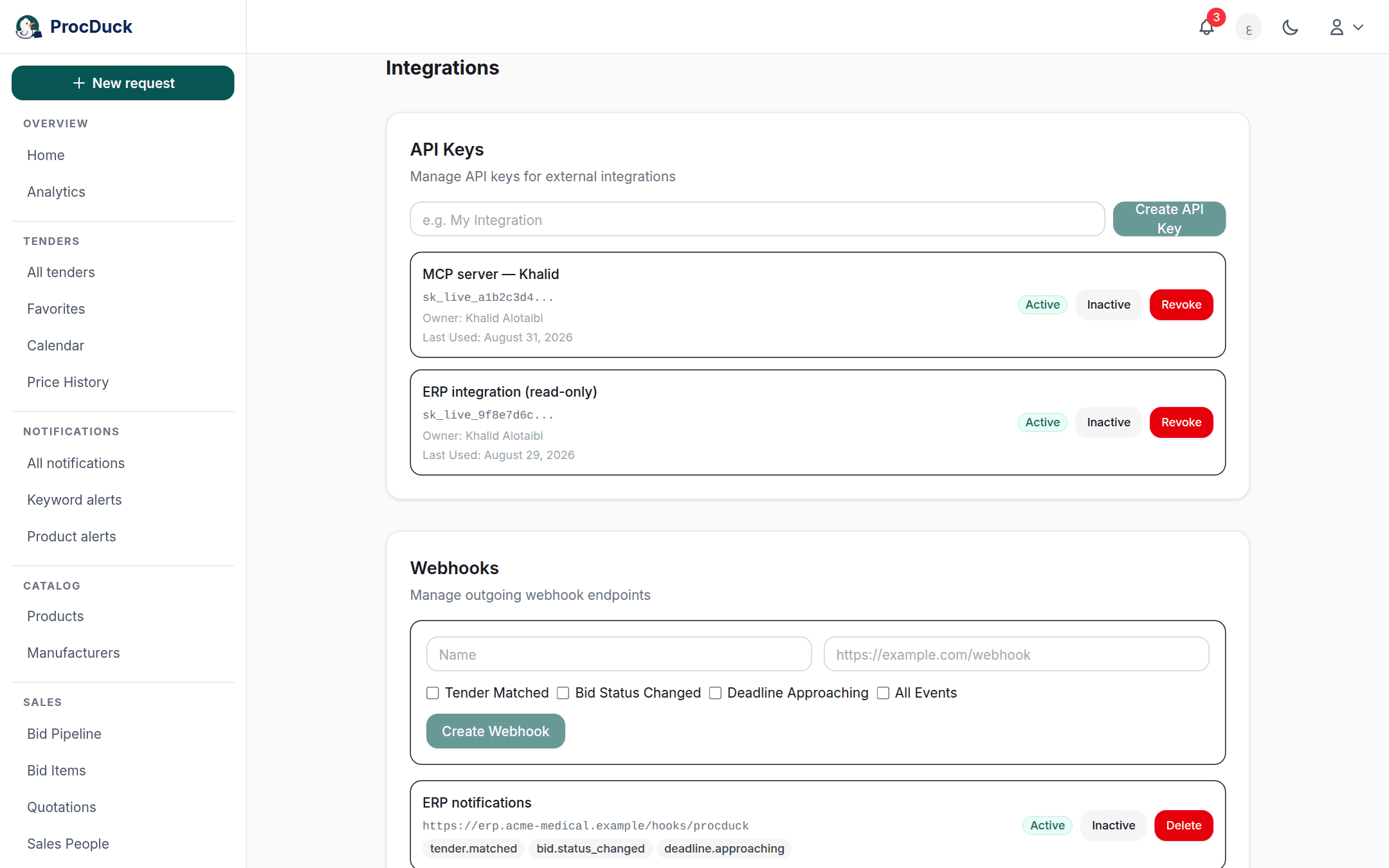
Receive real-time notifications when events occur. Configure webhooks from Settings > Integrations.
Available events
tender.matched: New tender matches your alerts or productsbid.status_changed: Bid status has changeddeadline.approaching: Tender deadline is approaching
Signature verification
All webhook payloads are signed with HMAC-SHA256. Verify the X-Webhook-Signature header:
// Verify webhook signature
const crypto = require('crypto');
const signature = req.headers['x-webhook-signature'];
const expected = 'sha256=' + crypto
  .createHmac('sha256', webhookSecret)
  .update(JSON.stringify(req.body))
  .digest('hex');

if (signature === expected) {
  // Valid webhook
}
The MCP server
The MCP server lets AI agents use the platform through the same v1 REST API, with the same tools on two transports: a remote server the platform itself serves. What Claude connects to, and a local server over stdio for running the tools beside a checkout. There is no separate login: it authenticates with an API key. One you paste into the client yourself, or one minted for you when you approve the OAuth sign-in screen. A key is user-scoped: it carries the role of the member who created it, so it can never do more than that person, and it stops working if they leave the organization.
The remote server
The address is https://procduck.com/api/mcp (Streamable HTTP). It accepts Authorization: Bearer sk_live_…, and offers OAuth 2.1 to clients that sign in on their own — Claude's apps among them. The per-client steps are in Connect Claude.
Running the server locally (stdio)
1. Create an API key
Go to Settings > Integrations and create a key. Grant only the scopes the agent needs (for example tenders.read and search), or * for full access. Scopes and your role are independent limits and both apply: a viewer's key is read-only however it is scoped. The raw sk_live_ key is shown once at creation. Copy it then; only its SHA-256 hash is stored. API-key management tools require the * scope.
2. Point your MCP client at the server
The local server speaks stdio from a checkout of the code. Set PROCDUCK_API_KEY to the key you just created and PROCDUCK_API_URL to your deployment (it defaults to http://localhost:3000).
{
  "mcpServers": {
    "procduck": {
      "command": "npm",
      "args": ["run", "--silent", "mcp"],
      "cwd": "/path/to/procduck",
      "env": {
        "PROCDUCK_API_URL": "https://your-domain.com",
        "PROCDUCK_API_KEY": "sk_live_YOUR_API_KEY"
      }
    }
  }
}
3. Verify the key
Before wiring up the agent, confirm the key works against the REST API directly:
curl -H "Authorization: Bearer sk_live_YOUR_API_KEY" \
  https://your-domain.com/api/v1/tenders?page_size=1
What a key is allowed to do
Every request is checked against the current role of the key's creator, so demoting or removing a member immediately narrows or kills their keys. There is nothing to revoke by hand.
- Owner: everything, including billing.
- Admin: all reads and writes; no billing.
- Sales: works bids, quotations, sales orders and the catalog; sale prices only. RFQ supplier responses, sourcing history, purchase orders, cost prices and the org inbox are withheld.
- Purchasing: works bids, RFQs, sourcing and purchase orders with both sale and cost pricing; no org administration.
- Technical: read-only product and manufacturer catalog plus tenders; pricing, quotations, RFQs, the inbox, orders and logistics are withheld.
- Viewer: read-only. Writes are rejected regardless of scope.
- Viewer (no pricing): read-only, and pricing endpoints and fields are withheld.
Troubleshooting
401: Missing, malformed, or unknown key. Check thatPROCDUCK_API_KEYis exported and starts withsk_live_.402: Your plan's daily API call limit is exhausted, or your plan does not include API access.403: The key is deactivated, its owner has left the organization, or the owner's role does not allow the action.429: Rate limit reached (100 requests per minute per key). Retry after a short pause.